
Introduction
Raven is an innovative and configurable operating system that seeks to adapt to user’s needs.
To carry out this projects in two years, we were a team of 16 members. Within a smaller team of 3 members in charge of the web part, I’ve developed the sub-project build-raven-os-org.
My task was to develop the back end and to integrate with the front end, another membre of the group took care of the design and the layout of the website.
Context
Raven-OS is composed of several sub-projects, (see github). Sub-projects linked to the service build-raven-os-org are:
- a package manager: nest
- a package server: nest-server
- a package compilation tool: nbuild
To contribute to the system and create new packages available for all the users, it’s necessary to:
- write a compilation manifest
- send the manifest to nbuild to compile packages
- send the compiled packages to nest-server
Description
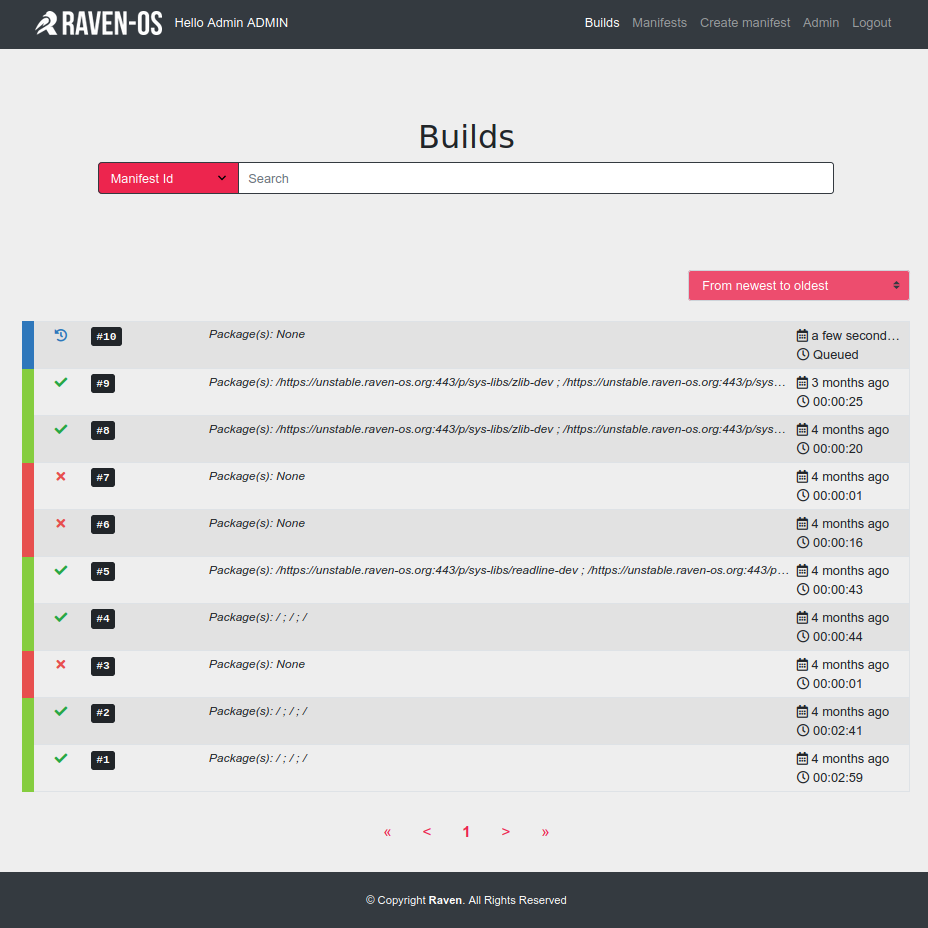
build-raven-os-org is a web interface that allows collaborators to:
- Upload or write compilation manifests
- Update a compilation manifest
- List a manfest’s modifications history
- Program a compilation with one or more manifests
- Follow the compilaion in real-time
- Automate sending compiled packages to nest-server
For this, the website has:
- a user account system
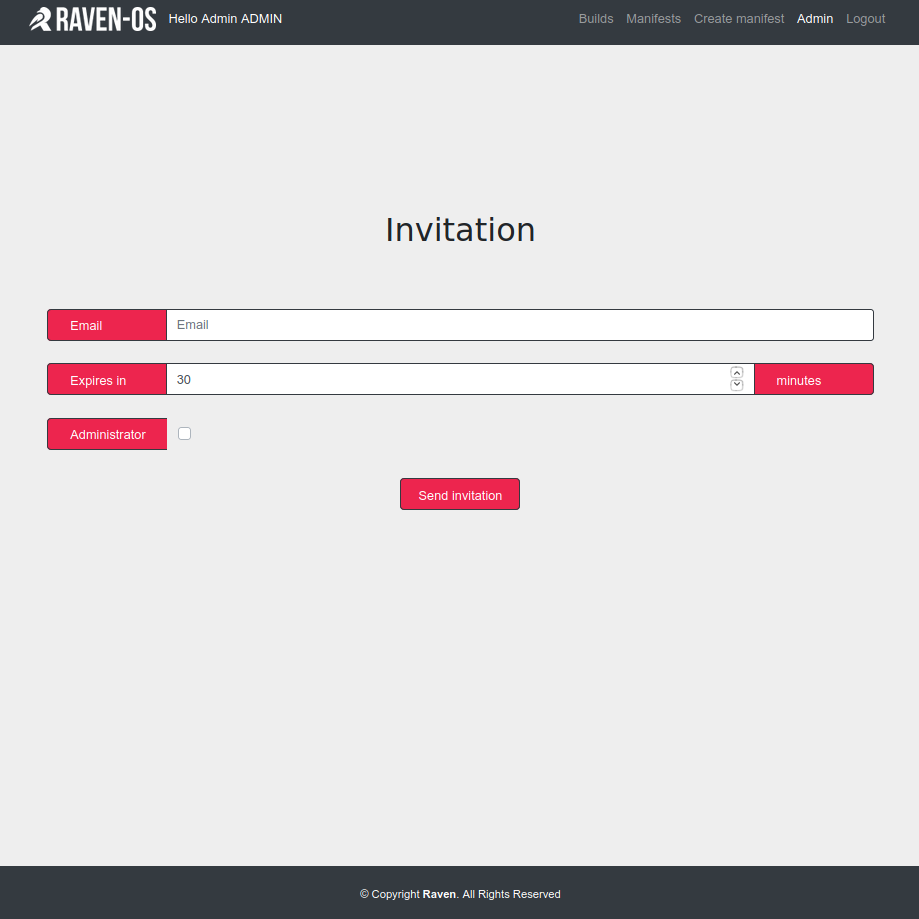
- an admin panel with invitation email sending
- access right manager
Demonstration
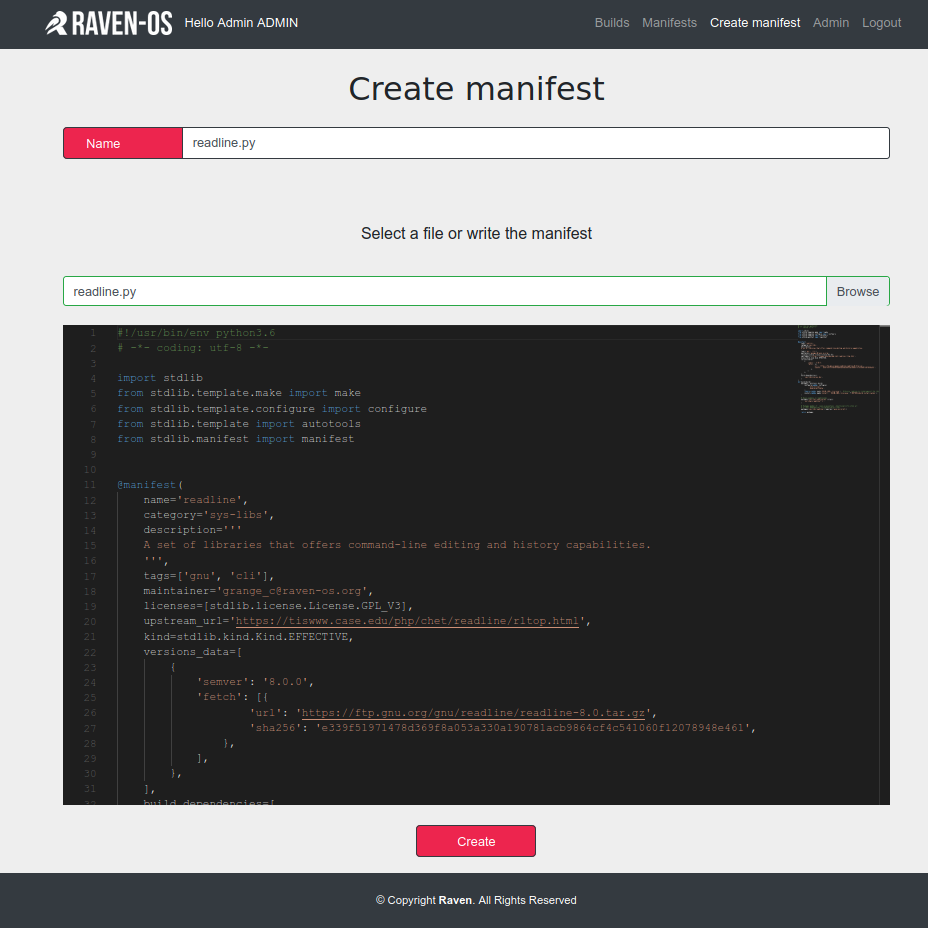
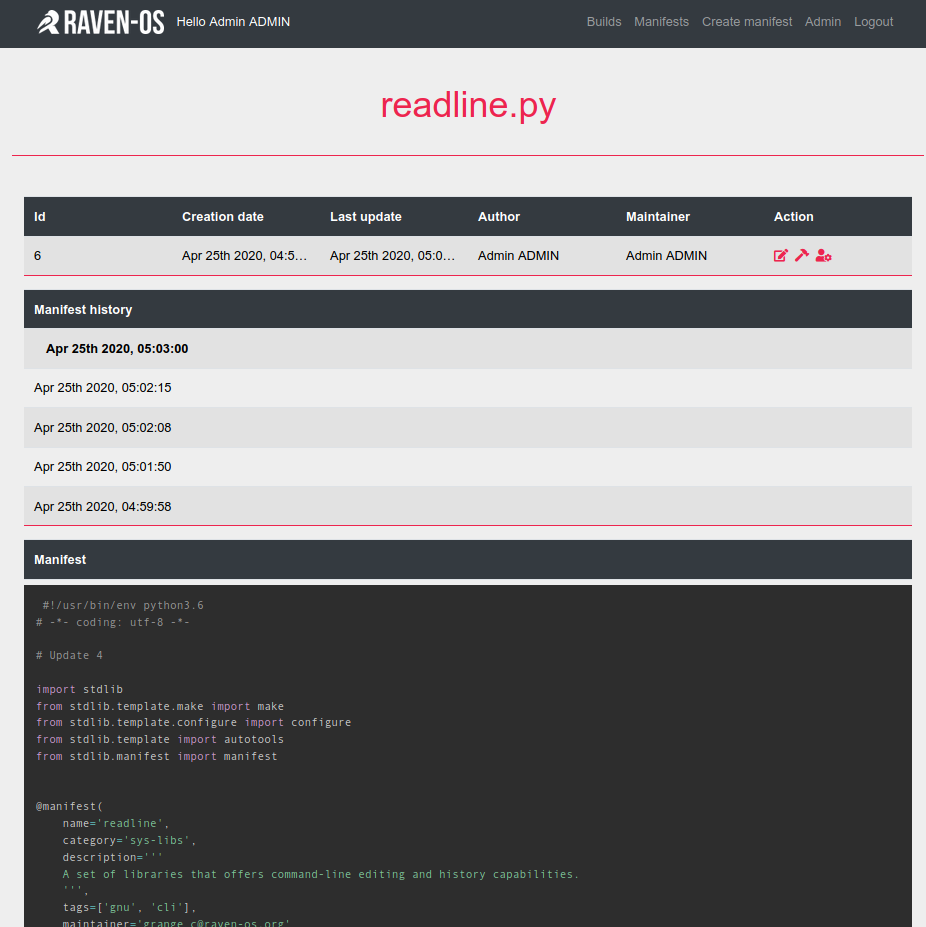
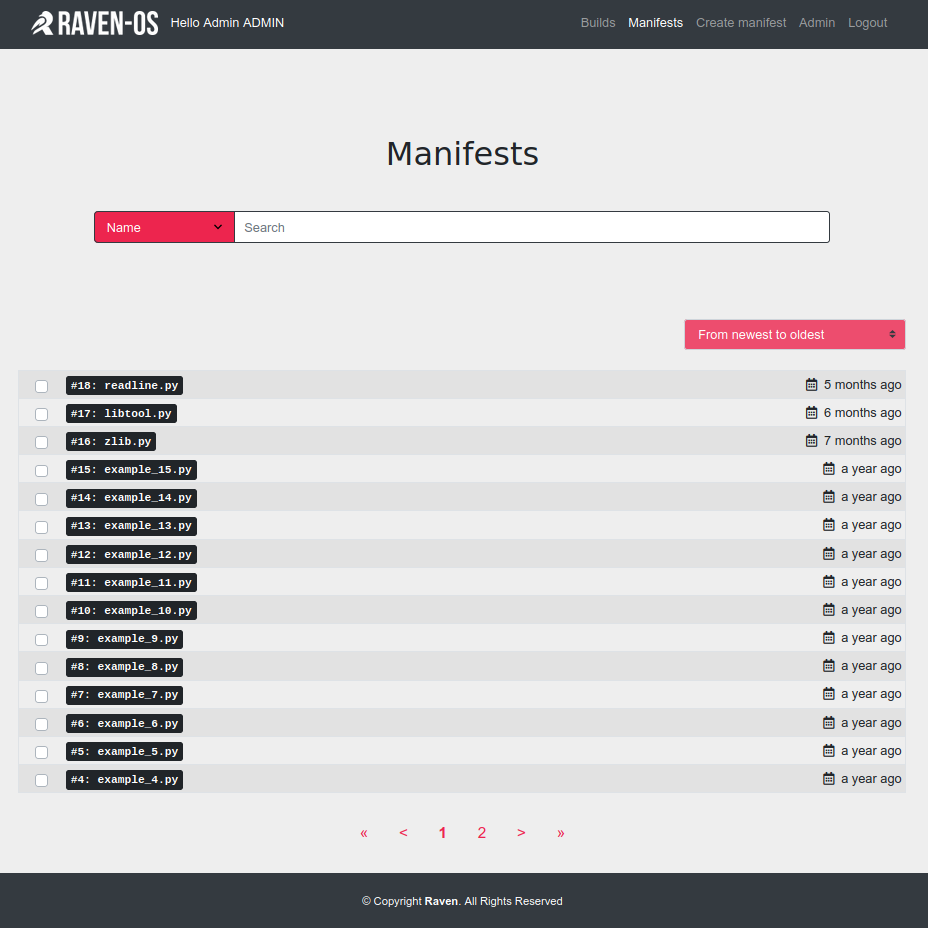
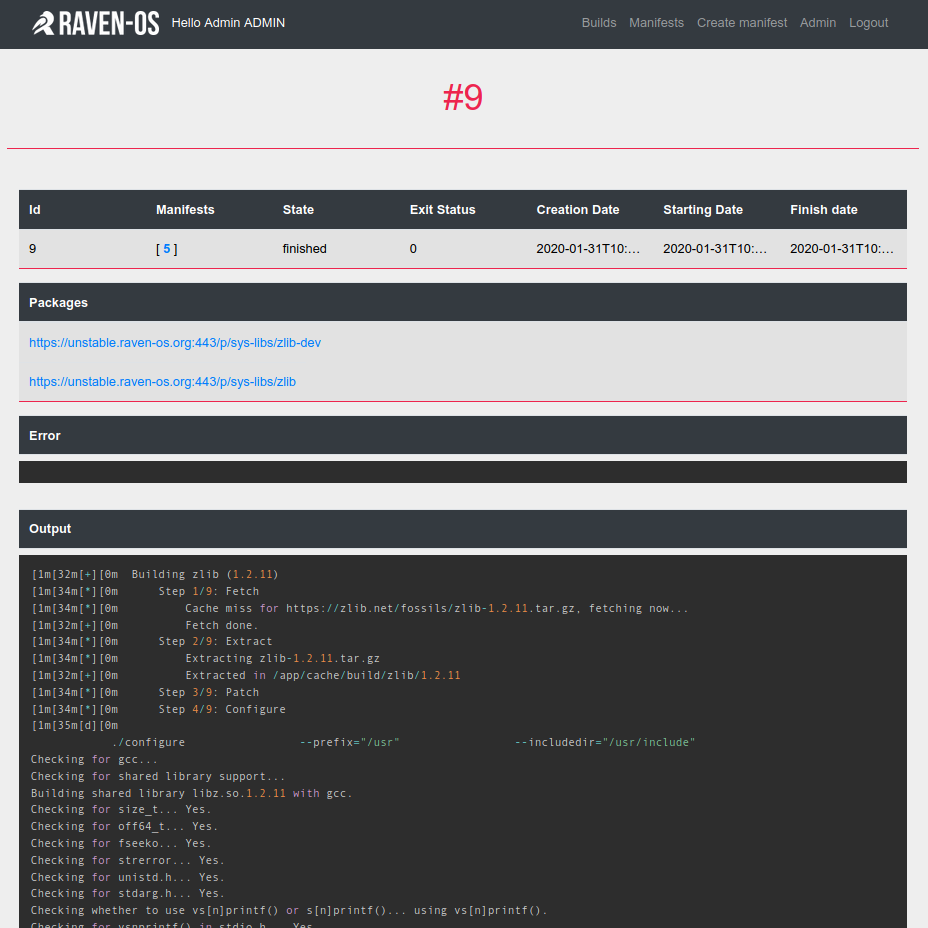
Technical details
Technologies used
Technologies used are Node.js, Vue.js, PostgreSQL, RabbitMQ, Docker, Mocha. The language Rust was used at the beginning for the API but the language was too recent, so we’ve migrated to Node.js. The API use Express.js as well as the ORM Bookshelf and to handle configuration, the library convict.
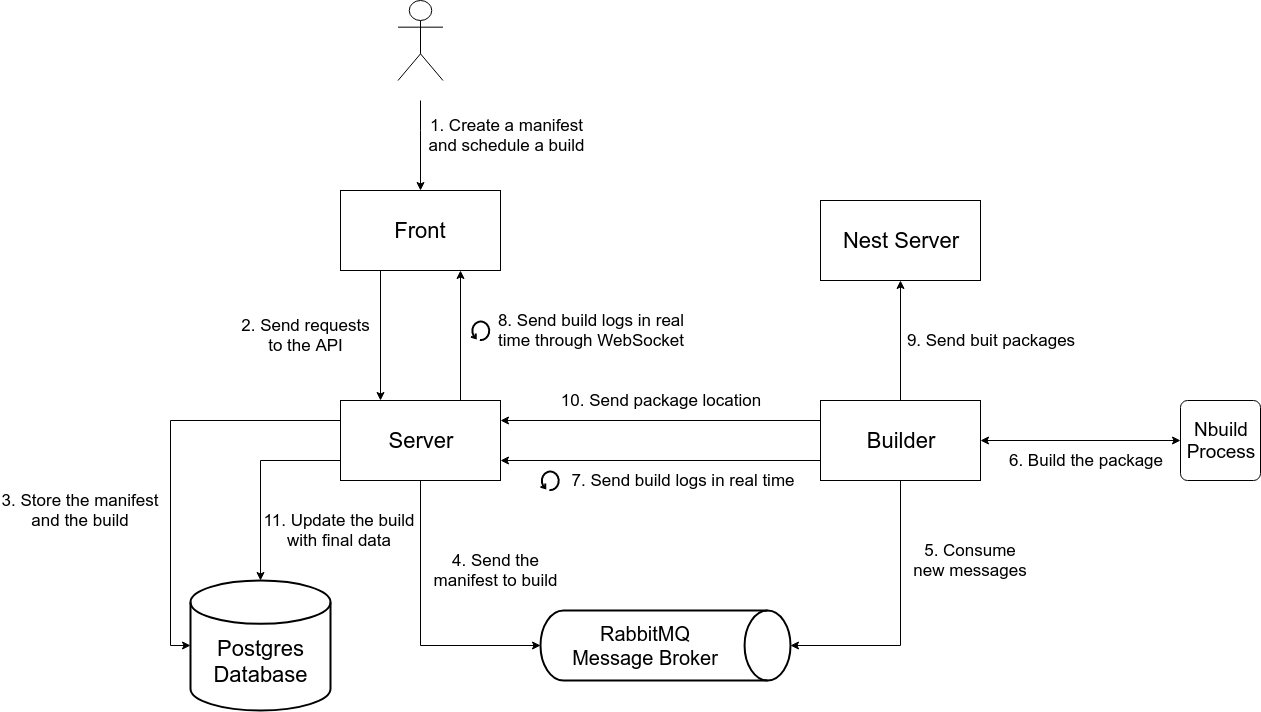
Diagram of interactions between services
The resources
Datas are limited to four type of resources:
- manifest used to describe a package and how to compile it
- build to describe a compilation
- user who creates and maintains manifests and program compilations
- invitation to sign in new users, only an admin can create one
API Architecture
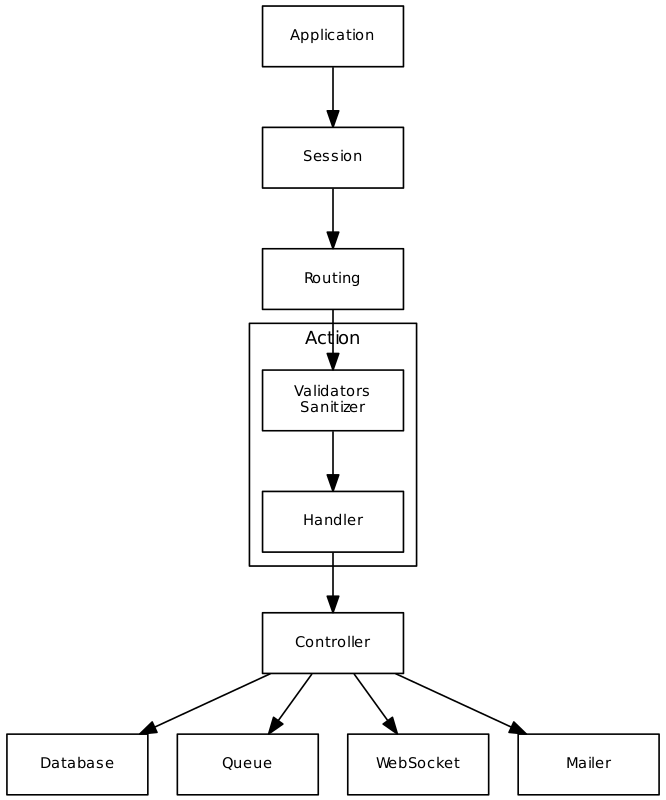
- Application: Contains all objects. Instantiate all the modules by sending itself as the context to simplify dependency injection. Initialize mailer, database, queue, trigger migrations and start the web server.
- Session: Middleware that authenticate incoming requests via a cookie. Contains definition of other middlewares that check if a user is connected or not, if the request comes from the builder or if the user is an administrator.
- Routing: Maps each endpoint to a action and add middlewares from session on each route to check permissions.
- Action: Logical entrypoint of the request to the API. Split in two sub entities:
- sanitization / validation: ensures data in correctly formatted.
- handler: handles the request by calling a controller.
- Controller: Controls the integrity of the action (for example, to execute an action on a manifest, one must be an admin or the manifest’s maintainer) then sends requests to the database most of the time or to other services based on the action.
- Database: Implementation of the Bookshelf ORM. To improve robustness of the application, when a connection to postgres happens, the number of retry as well as the interval between retries is configurable.
- Queue: Wrapper over
amqplibused to communicate withRabbitMQto send messages to the builder during a compilation creation. - WebSocket: Server that list all the connected clients and broadcast messages during a compilation to provide real-time logs.
- Mailer: Uses the
nodemailerlibrary to send invitation emails or reset password.
Conclusion
This project was a technical and organizational challenge and a source of learning.
See project on github: https://github.com/raven-os/build-raven-os-org